A Plan-First Workflow for Working With AI Coding Agents
- AI Coding Agents
- Developer Workflow
- Code Review
- Web Development
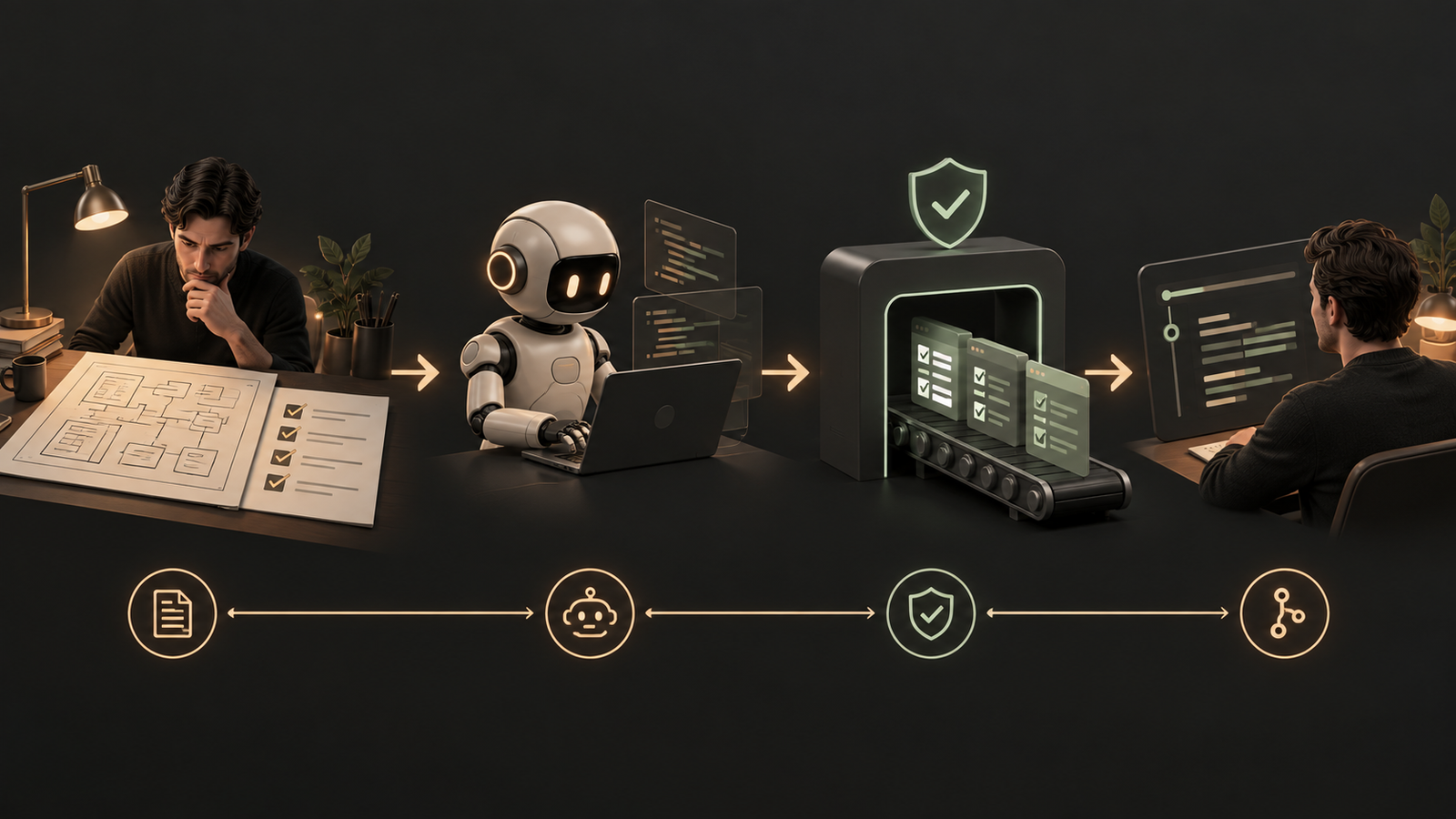
Most disappointing results from AI coding agents share one cause: someone typed a feature request, pressed enter and let the agent start editing. The agent guessed at the architecture, the guess was wrong, and the team spent the afternoon steering it back. A short, repeatable workflow removes most of that waste.
Explore and plan before any code is written
Start in a mode where the agent can read the codebase but cannot change it. Ask it to find where a change belongs, whether new dependencies are needed and how it would approach the work. Take adding WebP conversion to an image upload pipeline: the useful first output is a map of the pipeline and a proposed plan, not a diff.
Review that plan the way you would review a colleague's proposal. This is the cheapest moment to correct course, because nothing has been written yet. Once the plan is approved, the agent also keeps the reasoning that produced it, which helps it make better decisions when something goes wrong later in the task.
Give the agent a way to check its own work
Agents work in a loop: gather context, take an action, verify the result. The verification step is only as good as the definition of 'correct' you supply. State it explicitly in the plan, and back it with things the agent can run.
- A test suite the agent can run repeatedly. Treat those tests as the source of truth for the team, and read them carefully, because a weak test produces a confident false positive.
- Browser control for interface work, so the agent can open the page and check its own output before calling the task finished.
- Visibility for you. Watch which files it reads and which commands it runs, and interrupt early when it heads in the wrong direction rather than waiting for the end.
Persistent instructions, permissions and clean context
An agent does not remember yesterday. A project instruction file (a CLAUDE.md or AGENTS.md style markdown file) loads at the start of each session and should hold the facts you would otherwise repeat: the package manager, the database layer, how tests run, which checks to run before finishing a larger change. When the agent keeps making the same mistake, add the fix to that file.
Permissions matter just as much. Sensitive files such as environment files and credentials should be explicitly blocked, and it is worth testing that the block works by asking the agent to read one. Remember also that running locally does not mean everything stays local: relevant file contents are still sent to the model, so check the data policy of the account in use.
Finally, manage context deliberately. After a long debugging session on authentication, a request about product cards is better served by a fresh session than by a window full of unrelated history.
Commit only what a person has read
Before committing, ask a separate review agent to look over the change, then read it yourself. Let the agent draft the commit message in your team's style, and repeat the cycle for the next feature.
Conclusion
Explore, plan, code, commit is not a new methodology. It is ordinary engineering discipline applied to a fast but literal collaborator. For web teams, the gains come from front-loading decisions, defining what 'done' means in executable terms and keeping a human accountable for every change that reaches production.
Frequently asked questions
What is a plan-first workflow for AI coding agents?
A plan-first workflow means the agent explores the codebase and proposes a plan before it edits anything. You review the plan, approve it, then let the agent write code, and finally review and commit the result.
Why should AI agents be blocked from reading .env files?
Environment files hold secrets such as database URLs and API keys, and an agent does not know they are sensitive unless told. Explicit permission rules block access, and you can test the block by asking the agent to read one.
What should go in a CLAUDE.md or AGENTS.md file?
It should hold the project facts you would otherwise repeat each session. Examples are the package manager, the database layer, how tests run and which checks to run before finishing larger changes.
When should I start a fresh AI coding session?
Start a fresh session when you move to a genuinely unrelated task. Carrying a long debugging history into new work fills the context with information that does not help.
Put this into practice
Explore the services related to this article.
A short note about the product, the timeline and who it is for is enough to start. You will hear back from the engineer who would do the work, not a sales team.
Start a partnership