Skip to content
Browser extension development

Chrome Extension Development

Updated

One thing separates extension work from ordinary web development: your code runs inside a page you do not control. The host site can change its markup tomorrow, the browser can tighten permission rules, the store can update its review policy, and none of that arrives with a migration guide. Curiosive is a software studio run from Ankara, Türkiye, shipping production software for more than five years, and several of our live products include browser extensions.

Work runs as AI-accelerated development, starting from $2,000 per month, with scope agreed in writing. That is a starting point, not a fixed quote. How many browsers you are targeting, whether the extension talks to its own backend and whether it needs user sessions all move the number. Scope is agreed in writing after discovery.

24
published portfolio projects
5+
years building for production
12
countries the work runs in
100%
of code read by a senior engineer
1 day
to hear back, from the engineer

Working inside someone else's interface: ChurchBee

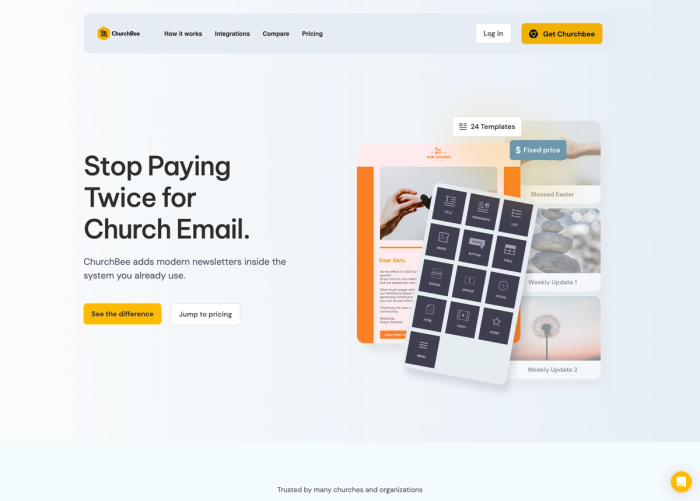
ChurchBee (https://bee.church) is a Chrome extension that makes newsletter building easier for churches. Instead of moving people into yet another dashboard, it puts a drag and drop editing experience inside the platform they already use. The price of that approach is dependency: when the host platform changes its own markup, the extension can break quietly. So you avoid binding to fragile selectors, keep every attachment point in one place in the codebase, and run a check that catches the breakage before a user reports it.
Chrome, Safari and Firefox: Auditional

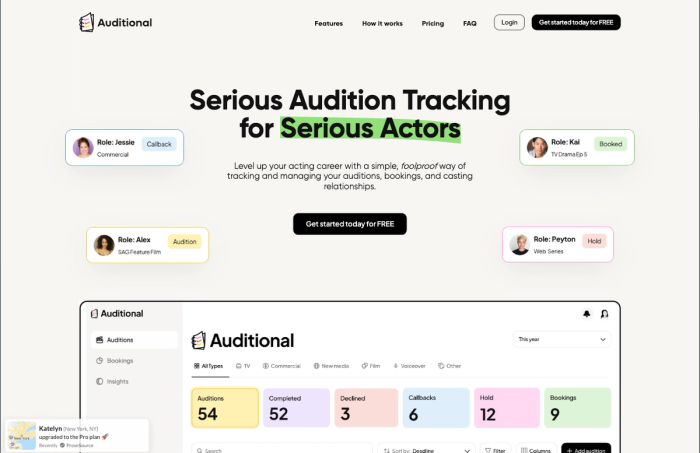
Auditional (https://auditional.com) tracks auditions for more than 2,000 actors, and its one-click import runs through browser extensions published for Chrome, Safari and Firefox, with Svelte on the interface side. Most of the logic is shared. Packaging and release are where they diverge: the Safari build is wrapped with Xcode and enters a separate Apple review, while Firefox differs in manifest handling and background behaviour. Planning for those differences at the start is cheaper than discovering them the week you wanted to ship.

What Manifest V3 changes: design.computer

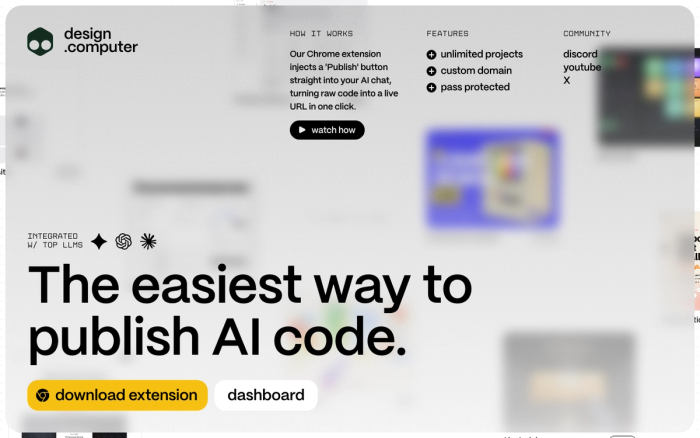
design.computer (https://design.computer) publishes AI-generated code in one click, and its Chrome extension works alongside Cloudflare Workers, D1 and R2. That architecture is not decoration. Under Manifest V3 the background layer is a service worker that shuts down when idle, not a page that stays alive. Long-running uploads and transformations are unreliable if you keep them inside the extension, so the work moved server side and the extension stayed what it is good at being: a trigger and an interface.

Permissions, store review and security

Broad permissions with thin justification are among the most common reasons an extension gets rejected. We keep requested permissions to the smallest set that actually works and document which domains are accessed and why. Our development is AI-assisted, but where session tokens are stored, what data injected code can touch and how the authorization flow behaves go through senior engineer review. An extension can see every page a user visits, which makes that review a step nobody gets to skip.

Releasing an update to an installed extension

An existing user brings saved settings, an older data format and prior access grants into the next version. Agree supported upgrade paths, background-restart behavior and recovery before treating a clean install as release evidence. The buyer guide supplies a fictional installed-user rehearsal grounded in published extension delivery, with proposed tests kept separate from historical project claims.

Industry examples for this service

Start with the task you need to improve. These pages connect a published delivery example to discovery questions for a new engagement.

Casting and audition workflow software

Choose this when actors need one audition record with status history and a supported import path from the casting sites they already use.

Explore the scope and discovery questions →

Church communication tools

Choose this when staff need newsletter design in their existing system or browser texting, with an explicit owner for recipients and sending.

Explore the scope and discovery questions →

Contract notice change review software

For US supplier teams reviewing changes to sourced federal contract notices while preserving the notice version behind an internal bid decision and its assigned review.

Explore the scope and discovery questions →

Beaverton, Oregon · Agency asset approval portals

For Beaverton creative agencies connecting campaign asset versions, client review permissions and deliberate approval or release decisions in a maintained portal.

Explore the scope and discovery questions →

Ithaca, New York · Research-publisher discussion widgets

For Ithaca research publishers placing reader questions beside specific figure panels and retaining explicit reference states when published figures change.

Explore the scope and discovery questions →

Mankato, Minnesota · Research-demo publishing platforms

For Mankato research-product teams publishing reviewed interactive demos with explicit prototype revisions, approved input references and public release context.

Explore the scope and discovery questions →

Wilmington, Delaware · Artist-residency application trackers

For Wilmington artists and arts-product teams tracking residency applications with call-specific work-sample selections, portfolio order and applicant-recorded status.

Explore the scope and discovery questions →

Hilo, Hawaii · Conservation-project newsletter builders

For Hilo conservation teams composing project newsletters with approved images, source-linked update blocks and reviewed handoff to an existing email editor.

Explore the scope and discovery questions →

Appleton, Wisconsin · Makerspace member-portal onboarding

For Appleton makerspace teams adding reviewed video walkthroughs to member portals with role-specific guidance and explicit practice-task context.

Explore the scope and discovery questions →

Yuma, Arizona · Farmers-market vendor communication extensions

For Yuma farmers-market teams bringing vendor communication into approved browser tools with market-day context, reviewed recipients and explicit queue states.

Explore the scope and discovery questions →

Simi Valley, California · Multilingual SEO browser inspection tools

For Simi Valley ecommerce teams building browser tools that compare observed page metadata and language-alternate destinations with an approved page map.

Explore the scope and discovery questions →

Bakersfield, California · Dance-competition entry portals

For Bakersfield dance-event teams connecting routine entries, performer roster editions and organizer review without conflating entry submission with a confirmed performance slot.

Explore the scope and discovery questions →

Redding, California · Nursery order follow-up extensions

For Redding nursery software teams connecting a selected order, its customer or nominated collector and a reviewed browser communication handoff.

Explore the scope and discovery questions →

Longmont, Colorado · Arts-publisher discussion widgets

For Longmont arts publishers connecting article identity, contextual discussion and deliberate widget configuration across publication changes.

Explore the scope and discovery questions →

Frederick, Maryland · Agency SEO inspection tools

For Frederick agencies building browser inspection tools that preserve selected-page evidence and distinguish sample coverage from site-wide conclusions.

Explore the scope and discovery questions →

Yakima, Washington · Seasonal staff software onboarding

For Yakima teams matching approved browser-based software guidance to seasonal cohorts, current staff roles and supported interface editions.

Explore the scope and discovery questions →

Roanoke, Virginia · Nonprofit donor newsletter builders

For Roanoke nonprofits preparing donor newsletters from approved program stories and reporting editions within a chosen email workflow.

Explore the scope and discovery questions →

Provo, Utah · Hackathon demo publishing platforms

For Provo hackathon organizers connecting team-owned demo projects, a selected judging edition and deliberate public gallery publication.

Explore the scope and discovery questions →

Tempe, Arizona · Restaurant POS software onboarding

For Tempe restaurant-software teams matching approved browser walkthroughs to the correct POS page, interface edition and practice context.

Explore the scope and discovery questions →

Wilmington, North Carolina · Bookstore event-newsletter tools

For Wilmington bookstore teams designing event newsletters with explicit event revisions and a deliberate handoff to their existing email platform.

Explore the scope and discovery questions →

Worcester, Massachusetts · Coding-workshop demo publishing

For Worcester coding-workshop teams connecting learner project drafts, instructor review and an approved public demo gallery.

Explore the scope and discovery questions →

Duluth, Minnesota · Conference-speaker submission tracking

For Duluth event-technology teams connecting a reusable talk to separate conference-edition submissions, material versions and deadline records.

Explore the scope and discovery questions →

Bismarck, North Dakota · Construction client newsletter tools

For Bismarck construction-software teams connecting approved project updates to a client newsletter and the intended recipient context in an existing email platform.

Explore the scope and discovery questions →

Lakewood, Ohio · Local-news discussion platforms

For Lakewood local-news publishers connecting reader contributions to a stable article reference through editorial corrections and discussion review.

Explore the scope and discovery questions →

Chattanooga, Tennessee · Warehouse software onboarding

For Chattanooga warehouse-software teams connecting approved browser walkthroughs to the current user, site and digital task on a shared workstation.

Explore the scope and discovery questions →

Grand Junction, Colorado · Home-service browser extensions

For Grand Junction home-service software teams connecting a selected customer and service job to a reviewed communication action inside existing browser tools.

Explore the scope and discovery questions →

Naples, Florida · Real estate newsletter tools

For Naples real estate software teams developing newsletter tools that connect approved property blocks to a reviewed transfer into an existing email platform.

Explore the scope and discovery questions →

Santa Rosa, California · Agency prototype publishing tools

For Santa Rosa agencies developing prototype publishing tools that keep project identity, preview revisions and client-review destinations understandable.

Explore the scope and discovery questions →

Ann Arbor, Michigan · Employee video guidance tools

For Ann Arbor workplace-software teams developing employee video guidance with approved tool contexts, role-specific access and clear content ownership.

Explore the scope and discovery questions →

Charleston, South Carolina · Publisher widget dashboards

For Charleston, South Carolina publisher-tool teams connecting dashboard style, settings and announcements to an installed website widget.

Explore the scope and discovery questions →

Colorado Springs, Colorado · Gaming catalogue navigation

For Colorado Springs gaming-reference publishers making genre, tag and category filters understandable across catalogue and game-detail navigation.

Explore the scope and discovery questions →

Fort Worth, Texas · Actor audition-deadline dashboards

For Fort Worth actor-software teams organizing audition records by actionable deadline context without hiding records that lack a confirmed date.

Explore the scope and discovery questions →

Madison, Wisconsin · Password-manager subscription journeys

For Madison password-manager teams carrying the intended account and selected subscription plan from pricing into checkout and back to the product.

Explore the scope and discovery questions →

Cheyenne, Wyoming · SEO browser inspection products

For Cheyenne SEO-tool teams presenting page markup and captured response-header evidence as distinguishable inspection sources.

Explore the scope and discovery questions →

St. Louis, Missouri · In-product video walkthroughs

For St. Louis B2B SaaS teams placing video guidance beside a customer's task with clear dismissal and keyboard behavior.

Explore the scope and discovery questions →

Charleston, West Virginia · Embedded church newsletter composers

For Charleston, West Virginia church teams preserving composed newsletter content as it moves into an existing email editor.

Explore the scope and discovery questions →

Little Rock, Arkansas · Actor audition tracking software

For Little Rock actor-software teams connecting audition records, deadlines and personal status history in one tracker.

Explore the scope and discovery questions →

Wichita, Kansas · SEO browser inspection and exports

For Wichita SEO and agency-tool teams connecting browser inspection to useful link and image exports for the next review task.

Explore the scope and discovery questions →

New Orleans, Louisiana · Church messaging integrations

For New Orleans church-software teams connecting selected people lists to a reviewed messaging task and its background status.

Explore the scope and discovery questions →

Boise, Idaho · Gaming reference browser companions

For Boise gaming publishers bringing approved reference content into supported game websites through a browser companion.

Explore the scope and discovery questions →

Omaha, Nebraska · Password-manager onboarding

For Omaha password-manager product teams improving the journey from product explanation to browser installation and account entry.

Explore the scope and discovery questions →

San Antonio, Texas · Casting software and audition imports

For San Antonio casting-software teams connecting an actor's existing audition sources to a personal tracker through browser imports.

Explore the scope and discovery questions →

Milwaukee, Wisconsin · Church newsletter editorial tools

For Milwaukee church teams improving newsletter design and editorial handoff while their existing management platform retains contacts and sending.

Explore the scope and discovery questions →

Dallas, Texas · B2B SaaS browser companions

For Dallas B2B SaaS teams adding a browser companion that shares account, workspace and administration rules with their web product.

Explore the scope and discovery questions →

Washington, DC · Browser companions and publisher tools

For Washington, DC digital publishers adding a companion browser interface or embeddable reader tool with a publisher-managed dashboard.

Explore the scope and discovery questions →

Minnesota · Password-manager product development

For Minnesota password-manager teams connecting a product website, account application, browser extensions and subscription plans.

Explore the scope and discovery questions →

San Diego, California · Gaming guides and reference platforms

For San Diego gaming publishers organizing guides, codes and reference entries into a maintainable catalogue with optional browser companions.

Explore the scope and discovery questions →

Denver, Colorado · SEO and marketing-technology tools

For Denver SEO and marketing-technology teams building browser tools that inspect page signals and export useful audit data.

Explore the scope and discovery questions →

Atlanta, Georgia · Church communication integrations

For Atlanta church-software teams bringing communication actions into existing people lists through supported browser extensions.

Explore the scope and discovery questions →

Austin, Texas · AI publishing and developer tools

For Austin developer-tool teams connecting AI-generated code, a browser capture workflow, hosted pages and an account dashboard.

Explore the scope and discovery questions →

Massachusetts · B2B SaaS onboarding products

For Massachusetts B2B SaaS teams building personal video onboarding across a web application, browser extension and administration tools.

Explore the scope and discovery questions →

Delivered work in detail

Reveal Software: a full stack SaaS across web and browser

A Next.js application, browser extension and admin dashboard for personal video onboarding, supported by a shared product architecture.

Read the case study →

Poppin: prediction markets embedded into any webpage

A browser extension that brings Polymarket and Kalshi prediction markets onto the page being read, with trading, tracking and discussion alongside a publisher dashboard.

Read the case study →

Auditional: audition tracking with cross-browser import

An audition tracking platform for actors, with browser extensions for Chrome, Safari and Firefox that import auditions from Actors Access and Casting Networks in one click.

Read the case study →

ChurchBee: a newsletter builder inside church management systems

A Chrome extension that gives churches a drag-and-drop newsletter designer inside the church management system they already use, with flat pricing and BeeFree integration.

Read the case study →

PastorsLine: cross-browser extensions for church communication

React browser extensions for Chrome, Safari, Firefox, Edge and Opera that bring a church communication platform's texting into the tools staff already use.

Read the case study →

design.computer: publishing AI-generated code in one click

A Chrome extension, Next.js dashboard and Cloudflare Workers backend that turn code from an AI chat into a live URL, with custom domains and administration.

Read the case study →

Roblox Den: a large Roblox reference site with a browser extension

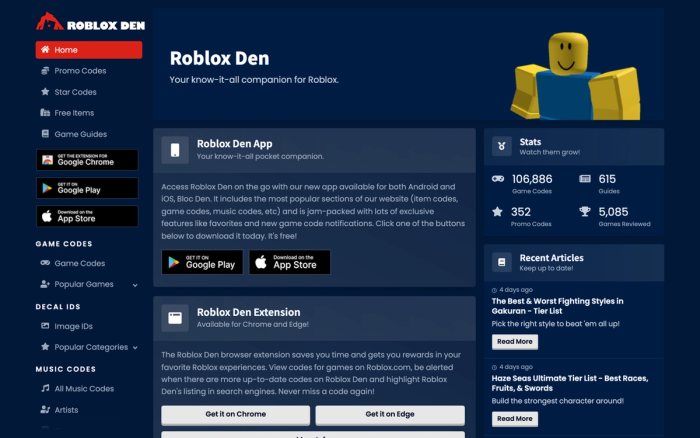
A Svelte reference site holding over 106,000 Roblox game codes, guides and decal IDs, extended by a Chrome and Edge extension and companion mobile apps.

Read the case study →

PicKey: a visual password manager across web, browser and billing

A password manager where points chosen in a person's own photographs replace the master password, delivered through a Next.js marketing site, web app, browser extensions and Stripe subscriptions.

Read the case study →

Detailed SEO Extension: on-page SEO data one click away

A browser extension used by 600,000 SEOs that surfaces titles, meta descriptions, robots directives, headings, schema and canonicals, maintained through to its acquisition by Ahrefs.

Read the case study →
Questions

The things people ask before starting.

What does a Chrome extension cost to build?

Work runs as AI-accelerated development, starting from $2,000 per month, with scope agreed in writing. Target browser count, whether users need to sign in and what backend the extension connects to all shift the figure. It is a starting point, and final scope is agreed in writing after discovery.

Will the same extension work on Safari and Firefox?

Most of the logic can be shared, but each browser has its own packaging and publishing path. For Auditional we shipped Chrome, Safari and Firefox versions. The Safari build is packaged with Xcode and goes through a separate Apple review with its own timeline.

How long does store approval take?

It varies by store and by the permissions you request, so we do not promise a number of days. What shortens it most reliably is asking for narrow permissions and making the privacy disclosure match the extension's actual behaviour exactly, with no leftover claims from an earlier draft.

Can the extension use our existing user accounts?

Yes. It can connect to your current authentication system, recognise a signed-in user and behave differently by role. Where tokens are stored and how they refresh is one of the areas that gets senior engineer review rather than being left to generated code.

What should we define before estimating an extension?

Bring the target websites, supported browsers, user roles and the task the extension must complete. Identify the data it reads or sends, the account system it connects to and who will maintain it when a host page changes. Agree acceptance examples for those workflows before estimating the build.

How it starts

What happens after you write to us.

  1. 01

    You describe the product

    One paragraph on what you are building, roughly when you need it, and who it is for. No brief, no form with fifteen fields.

  2. 02

    You get a reply within a day

    From the engineer who would do the work, not a sales team. If we are not the right fit we say so, and where possible we point you somewhere better.

  3. 03

    You get a scoped plan

    Scope, price and timeline in writing before anything is committed. You decide with the numbers in front of you.

No long contract to begin, no lock-in to our tooling, and the code is yours from the first commit.

Start a conversation
Contact

Looking for an engineering partner for the long haul?

A short note about the product, the timeline and who it is for is enough to start. You will hear back from the engineer who would do the work, not a sales team.

Ankara / Türkiye · Working across European and US time zones