Scheduled and Event-Driven AI Agents for Software Teams
- AI Agents
- Automation
- Web Development
- Developer Workflow
- Code Review
Most teams use AI coding agents the same way: someone opens a terminal, types a prompt and presses enter. That works for feature work, but it leaves a whole category of chores untouched. Documentation drifts after every merge. Deploys go out with nobody checking that the service is healthy. Issues pile up unread. These jobs are not hard, they are just easy to forget, and an agent that waits to be asked will never do them.
Why proactive agents are harder to run than they look
The obvious way to start is a cron job on a laptop or a spare server. It works until the machine sleeps, at which point the agent session disappears. A durable setup needs hosting, somewhere to keep session state and credentials, and a way to start the agent at the right moment, whether that is a schedule or an endpoint you have to build yourself. Headless runs add a further problem: when nobody can watch, steer or resume a session, trust erodes quickly.
The lesson for product teams is to treat an automated agent as a small piece of infrastructure, not a throwaway script. Prefer runners where the session stays open to inspection, so a person can look in, redirect the agent or continue the conversation afterwards.
Three decisions for every automated agent
Before automating anything, answer three questions.
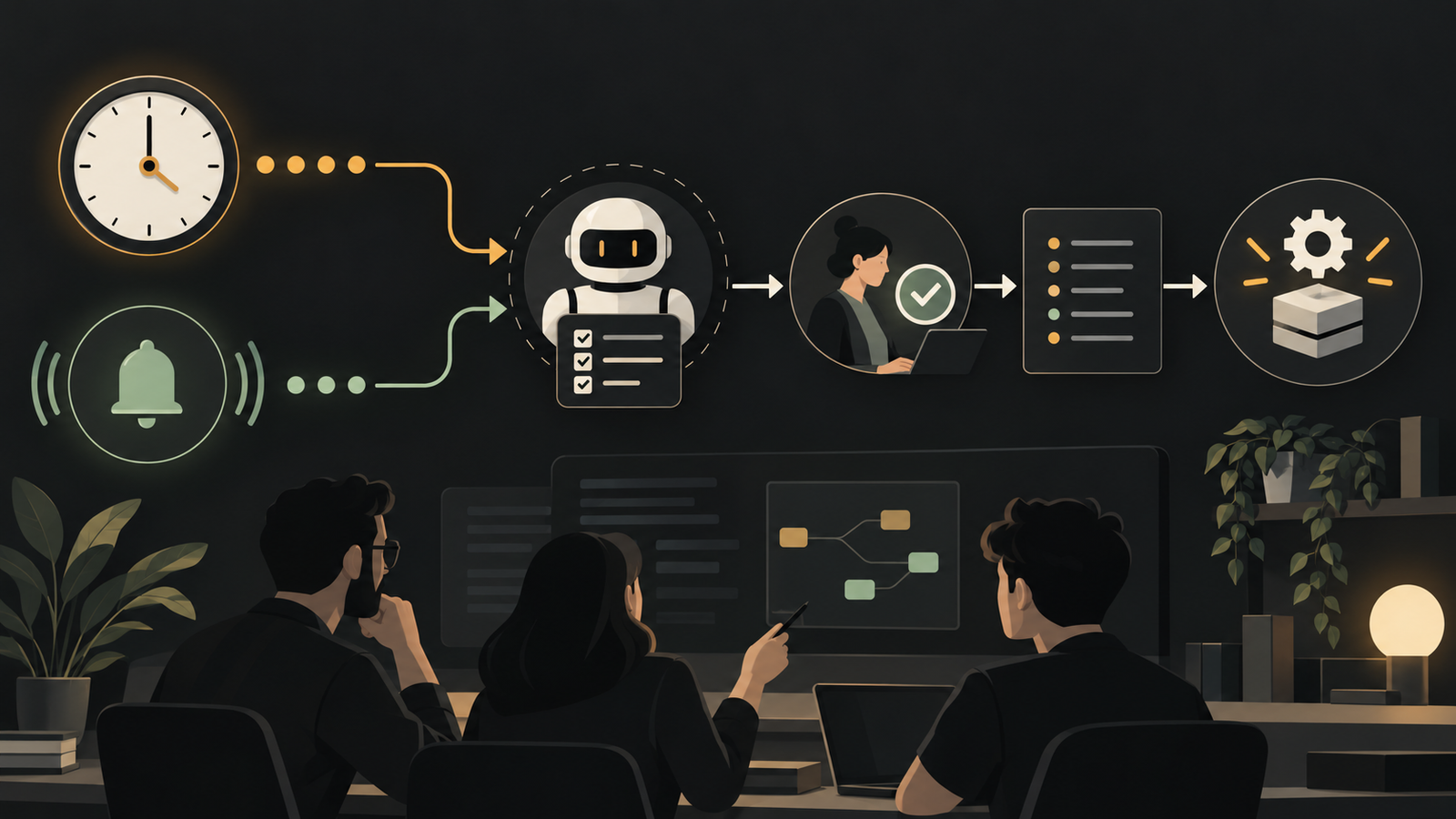
When should it run? Time-based triggers suit recurring reviews, such as a weekly comparison of merged changes against the documentation repository. Event-based triggers suit reactions: a release being cut, a pull request carrying a 'needs docs' label, a new issue being opened, or a deploy pipeline posting to a webhook.
What context does it need? Whatever the agent can reach sets the ceiling on how useful it can be. A documentation agent needs both the source repository and the docs repository. A deploy checker needs the service code, access to monitoring tools and a way to alert a human. Grant only what the task requires.
How will it be kept honest? Three habits help. Use a second agent to review the first agent's pull request before a person sees it (a generator and critic pattern). Keep the session steerable, so a human can stop a run that duplicates work already in progress. Verify outputs directly, for example by rendering a changed documentation page rather than trusting the diff.
Where to start in a web product team
Pick chores with a clear definition of done and a low blast radius. Good first candidates are a weekly documentation sync, triage of new issues that opens a pull request only when it finds a genuine gap, and a post-deploy health check that produces a rollback recommendation.
Begin with the agent recommending and a person deciding. Only after watching its judgement over many runs should it be allowed to act on its own, for instance by rolling back a release when monitoring data clearly shows a problem.
Conclusion
The shift is from a tool that waits for a prompt to a teammate that notices when something needs doing. For web teams the gain is not raw speed. It is that routine upkeep stops depending on someone remembering. The engineering effort moves to the design questions above: trigger, context and oversight. Get those right, and automated agents become a dependable part of the delivery process, with human review still placed where it matters most.
Frequently asked questions
What can a scheduled AI coding agent automate for a web team?
A scheduled AI coding agent can automate recurring chores such as syncing documentation with merged changes, triaging new issues and checking service health after a deploy. These jobs have a clear definition of done and are easy for people to forget.
How do you trigger an AI agent automatically?
You trigger it either on a schedule or on an event. Events include a release being cut, a labelled pull request, a newly opened issue, or a deploy pipeline posting to a webhook.
Why not just run an AI agent on a cron job?
A cron job on a laptop or spare server is fragile because the agent session disappears if the machine sleeps. You would also have to build hosting, session state, credentials and a way to watch or steer runs.
How do you keep an automated AI agent from making mistakes?
Keep it honest with a second agent that reviews its pull requests, a session a human can steer or stop, and direct verification of outputs. Start with the agent recommending and a person deciding.
What context should an automated coding agent be given?
Give it only what the task requires, since that context sets the ceiling on its usefulness. A documentation agent needs the source and docs repositories, while a deploy checker needs service code and monitoring access.
Put this into practice
Explore the services related to this article.
A short note about the product, the timeline and who it is for is enough to start. You will hear back from the engineer who would do the work, not a sales team.
Start a partnership