React development

React interface and product development

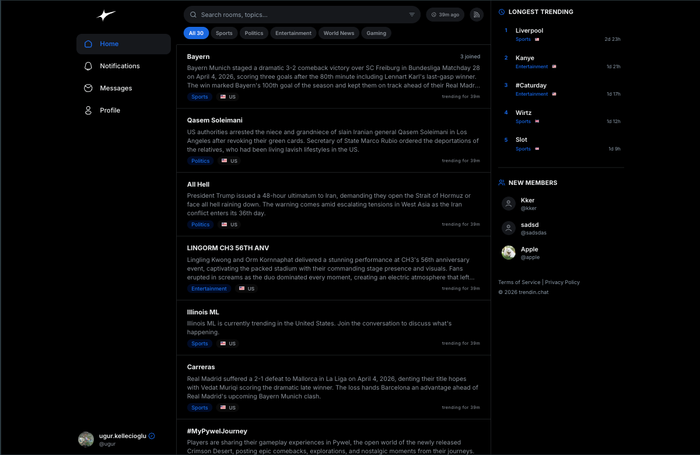
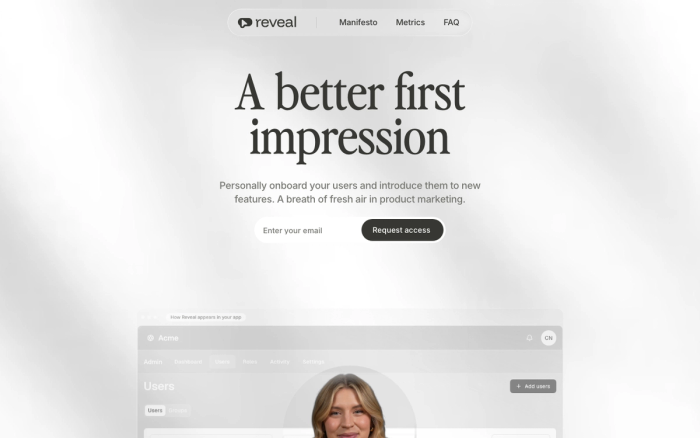
React carries the interface of seven live products we have shipped. TrendinChat's real-time chat rooms, YouNet's AI agent panel, PastorsLine's communication screens and the Reveal Software admin panel all run on it.

Choosing React is not an architecture decision on its own. The decisions that matter happen in state management, in the data fetching layer and at your component boundaries. This page is about those decisions rather than the library itself.

01

Why it holds up in complex interfaces

React's payoff is that you can write the screen as a function of state. In the Reveal Software admin panel, users, roles, groups and activity records all change at once, and updating the DOM by hand in that situation stops being sustainable quickly. YouNet has a similar shape: as agent configuration changes, the preview has to reflect it immediately. That is work React is naturally good at, though it is worth saying plainly that many interfaces never get complicated enough to need it.

02

What React does not solve

React is a view library. Routing, data fetching, caching and form validation are all still your call. Teams get into trouble when they pick React and then postpone those four decisions until the codebase has grown around the gap. If you need server-side rendering rather than a single-page app, we point you at Next.js. If you need a content-heavy site, we point you at something lighter. Not every interface needs React, and saying so early saves money later.

03

State management on real-time screens

TrendinChat put thousands of people typing in the same room. Code written without understanding React's re-render behaviour slows down as the message count climbs, and it does so gradually enough that nobody notices until it is bad. We had to virtualise the message list, batch socket events and keep component boundaries narrow. None of that is a library choice. Those are engineering decisions, and on a real-time build they are where the time actually goes.

04

Taking over inherited React projects

When we inherit a half-finished React project, the first job is triage: which components are actually used, which dependencies have gone stale, whether any tests exist. AI speeds up building that inventory considerably, but a person decides what gets deleted. The most expensive mistake on an inherited codebase is a large rewrite started before anyone understands what the existing code was doing and why it was written that way.

Questions

The things people ask before starting.

Should we choose React or Next.js?

If your product will take traffic from search engines or host content pages, Next.js. If it is a panel that lives entirely behind a login, React on its own may be enough. We work this out together during the discovery call.

Will you take over our existing React project?

Yes, most of our partnerships start that way. We review the codebase first and produce a written assessment before proposing any work. Ongoing support of 20 hours a month starts at $800.

Do you handle design as well?

Yes, we run interface design and development together. If you already have designs ready we can pick up from there, which shortens both scope and timeline. Either way, design decisions get reviewed alongside the code.

Who writes the tests?

We generate a large share of the test coverage with AI assistance, but an engineer decides which behaviour is worth testing and whether the test verifies anything real. A test that passes without asserting anything useful is worse than no test.

Contact

Looking for an engineering partner for the long haul?

A short note about the product, the timeline and who it is for is enough to start. You will hear back from the engineer who would do the work, not a sales team.

Ankara / Türkiye · Working across European and US time zones