Webflow to Next.js

Webflow to Next.js migration guide

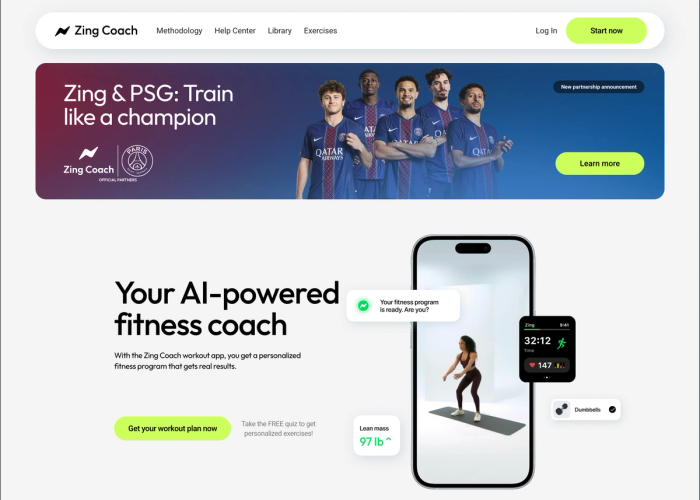
Zing Coach is an AI fitness coaching product with over 1 million users and an official Paris Saint-Germain partnership. We rebuilt its Webflow site, more than 20 pages, in Next.js. The reason was not an appetite for modern tooling: the marketing site could no longer keep pace with how fast the product was growing or with how the engineering team worked.

This page is a decision framework rather than a pitch. Webflow is a good tool and for plenty of companies it sits exactly where it should. Below we cover which signals genuinely justify a migration, when staying on Webflow is the smarter call, and what the move looks like technically.

01

Zing Coach: rebuilding more than 20 pages

The work at Zing Coach was not a pixel-for-pixel copy. While rebuilding more than 20 pages in Next.js, TypeScript and TailwindCSS, we consolidated the component library, moved the multilingual content structure into code and mapped every redirect one by one. The critical constraint was not damaging search visibility for a product with over a million users. So we planned the migration as a handover split into page groups rather than one big launch, which let the marketing team keep publishing while engineering changed the foundation underneath them.

02

When staying on Webflow is the right answer

Leaving Webflow is not the right move for every company. If your site is under fifteen or twenty pages, your content team works productively with CMS collections and you have no software engineers, migrating buys you dependency rather than speed. If your marketing team ships campaign pages a few times a week without asking anyone, moving that autonomy into a codebase is usually a step backwards. Migrating before you have genuinely hit Webflow's capability ceiling means trading a subscription for a permanent maintenance obligation.

03

The signals that actually justify a migration

There are concrete things to look at. If you need your own user login, a real database, or pages driven by in-product data, you are pushing Webflow past its purpose. The same applies if your content model needs nested relationships, if your multilingual structure has hit collection limits, or if you want to generate hundreds of pages programmatically. When per-seat pricing starts to sting as the team grows, when you want to control titles, schema and cache behaviour yourself, and when you have engineers who can review the code, the conversation is worth having.

04

The migration process, scope and budget

The process starts with a discovery call: current page inventory, URL list, content model and where the traffic comes from. We then take a component inventory, move content into a headless CMS or an in-code data layer, and prepare the redirect table. Launch is split into page groups, with search console data watched after each one. Prices are starting points confirmed in writing after discovery: marketing site migrations from $2,000, work that reaches product and application scope from $10,000. Post-launch maintenance is available as a retainer, 20 hours a month at $800.

Proof

Products we shipped with exactly this.

Questions

The things people ask before starting.

Will I lose my SEO rankings moving from Webflow to Next.js?

Done properly, no loss is expected. The critical work is mapping old URLs one to one, setting up complete 301 redirects and carrying over titles, descriptions and schema data. On the Zing Coach migration we launched in page groups and watched search console data after each one.

My content team cannot code. Can they still update pages after the move?

Yes, but it has to be designed in from the beginning. Frequently changing areas such as blog posts, case studies and campaign copy get connected to a headless CMS like Sanity. The content team keeps writing in an interface while layout and components stay in code.

Should I migrate just to save on the Webflow subscription?

No. If the subscription fee is the only reason, migration rarely makes sense, because a codebase brings maintenance, updates and hosting of its own. It is healthier to base the decision on capability limits: user login, database needs or content model complexity.

How long does migrating a 20-page site take?

Scope is confirmed during discovery. What matters is not the page count but how many distinct layouts, how many languages and how many dynamic content types exist. Once repeated components are consolidated, the job shrinks considerably. We give a realistic timeline after reviewing the inventory.

Contact

Looking for an engineering partner for the long haul?

A short note about the product, the timeline and who it is for is enough to start. You will hear back from the engineer who would do the work, not a sales team.

Ankara / Türkiye · Working across European and US time zones